
Download GTA4 Theme – free Chrome GTA4 skin, fan‑designed, install, Windows, Mac
Overview
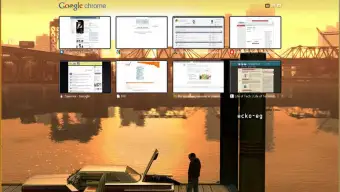
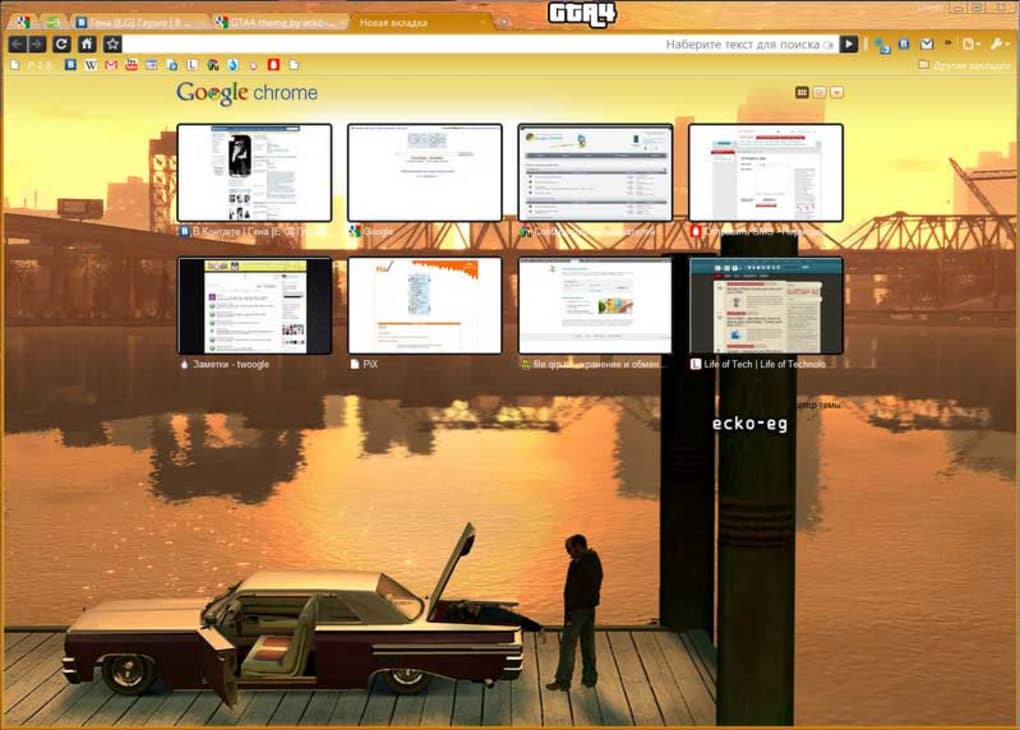
The GTA4 Theme brings a slice of Rockstar’s iconic Grand Theft Auto IV into your Google Chrome browser. Created by a dedicated fan, the theme captures the gritty atmosphere of Liberty City with a striking sunset‑lit dock scene: a shadowy figure leans against a car trunk, bathed in a vivid yellow glow that instantly transports you to Niko Bellic’s world. While it’s not a multi‑million‑dollar production, the visual fidelity is impressive for a community‑driven project.
The theme is completely free, lightweight, and can be installed with a single click from the Chrome Web Store. Its primary appeal lies in the nostalgic aesthetic—perfect for gamers who want a constant reminder of the fourth installment in the GTA series while they browse the web. However, the bright yellow illumination can affect readability on certain tab headings, especially for users with high‑contrast settings.
Overall, if you’re comfortable adjusting Chrome’s tab colors or simply don’t mind a slightly vibrant interface, the GTA4 Theme offers a fun, immersive way to personalize your browsing experience without any cost.
Key Features of GTA4 Theme
- Authentic GTA IV artwork: The background showcases a fan‑rendered dock scene directly inspired by the game’s iconic sunset moments.
- Full‑browser integration: Applies to the New Tab page, toolbar, and tabs, giving a cohesive look across the entire Chrome UI.
- Lightweight and fast: The theme is under 200 KB, ensuring it doesn’t slow down Chrome’s performance or increase memory usage.
- Free download: No hidden fees, subscription, or in‑app purchases—simply add the theme from the Chrome Web Store.
- Easy to toggle: Activate or remove the theme with a single click in Chrome’s Appearance settings.
- Regular updates: The developer releases occasional tweaks to improve compatibility with Chrome’s latest versions.
- Cross‑platform support: Works on Windows, macOS, Linux, and Chrome OS, as Chrome’s theming engine is OS‑agnostic.
Installation Guide and System Compatibility
Step‑by‑step installation
- Open Google Chrome and navigate to the GTA4 Theme page on the Chrome Web Store.
- Click the Add to Chrome button. A confirmation dialog will appear.
- Press Add extension. Chrome will automatically download and apply the theme.
- To verify the installation, go to Settings > Appearance. You should see “GTA4 Theme” listed under “Themes”.
- If you wish to revert to the default Chrome look, click Reset to default in the same Appearance menu.
System requirements and compatibility
Because the theme is a Chrome extension, it works on any device that runs the Chrome browser, including:
- Windows 10, 8, 7 (64‑bit or 32‑bit)
- macOS 10.14 (Mojave) and later
- Chrome OS devices (Chromebooks, Chromeboxes)
- Linux distributions with a supported Chrome package
- Android devices running Chrome (theme is limited to the desktop view only)
- iOS devices – Chrome on iOS does not support custom themes, so the GTA4 Theme is unavailable there.
Since the theme only modifies UI colours and background images, it consumes negligible system resources. Users with older hardware or limited RAM will notice no performance degradation. The only potential conflict arises when Chrome updates its UI rendering engine; however, the developer usually releases a quick patch to maintain compatibility.
Pros, Cons, and Frequently Asked Questions
Pros
- Visually striking: Instantly recognizable GTA IV atmosphere.
- Zero cost: Completely free with no hidden charges.
- Easy to install: One‑click installation from the Chrome Web Store.
- Lightweight: Minimal impact on browser speed.
- Cross‑platform: Works on Windows, macOS, Linux, and Chrome OS.
Cons
- Readability issue: The bright yellow glow can make some tab titles hard to read.
- Limited customization: No options to tweak colours or replace the background image.
- iOS incompatibility: Not available for Chrome on iPhone or iPad.
FAQ
Is the GTA4 Theme safe to install?
Yes. The theme is hosted on the official Chrome Web Store and follows Google’s security guidelines. It contains only image assets and CSS; no executable code is added to your system.
Can I change the colour of the tab text to improve readability?
Chrome does not provide built‑in controls for individual theme text colours. However, you can install a separate extension such as “Custom Tab Color” to override the text colour while keeping the GTA4 background.
Will the theme affect Chrome’s performance or battery life?
No. The GTA4 Theme is purely decorative and adds less than 200 KB of data. It does not run scripts or background processes, so performance and battery consumption remain unchanged.
Is the GTA4 Theme compatible with Chrome’s incognito mode?
Incognito windows use Chrome’s default UI and ignore installed themes. The GTA4 Theme will only appear in regular browsing windows.
How do I remove the GTA4 Theme if I don’t like it?
Go to Settings > Appearance and click Reset to default. This instantly restores Chrome’s original colour scheme.
Overall, the GTA4 Theme delivers a solid visual experience for fans of the game. The only drawback is the occasional readability issue, which can be mitigated with a small tweak or by simply adjusting the brightness of your monitor.
Final Verdict – Should You Download GTA4 Theme?
The GTA4 Theme is an excellent choice for anyone looking to add a touch of Liberty City to their daily browsing routine. Its free price tag, tiny footprint, and authentic artwork make it a standout among fan‑made Chrome extensions. While the bright yellow glow may cause minor readability challenges, these can be resolved with a quick colour‑override extension or by adjusting your display settings.
Compatibility across Windows, macOS, Linux, and Chrome OS ensures that almost any desktop user can enjoy the theme without hassle. If you’re a GTA IV fan, a casual gamer, or simply someone who appreciates a well‑crafted browser makeover, the GTA4 Theme is worth a download. Click the button below to install it instantly and start surfing the web with Niko Bellic’s sunset in the background.







